
Can ZIP by Zaweba open RAR or 7z files?
ZIP by Zaweba is built for .zip archives, not RAR or 7z. Here is what that means and how it fits with other tools you may already have.
No, ZIP by Zaweba is built for .zip archives, and RAR and 7z files are not what its tools are made for. For a .rar or .7z file, use a program designed for that format to get the files out. Once they are on your drive, ZIP by Zaweba can put them into a standard ZIP that almost any computer can open.
That focus is deliberate. Everything the app does, from filtering contents by kind to checking checksums and salvaging a broken archive, is built around the way the ZIP format stores files.
Why the app sticks to ZIP
ZIP, RAR and 7z all pack files together and squeeze them smaller, but they store things in very different ways. RAR is a format of its own, long associated with WinRAR. 7z is the native format of 7-Zip. Each has its own layout, its own compression methods and its own way of recording what is inside.
The rescue tools in ZIP by Zaweba depend on knowing that layout in detail. Check quality confirms the checksum a ZIP stores for every file. Salvage from a damaged ZIP scans the raw bytes for the local header that sits in front of each stored file and decompresses each one directly, going around the broken central directory at the end. Those are ZIP structures. A tool that tried to do the same for every format would do each of them less well.
ZIP is also the format most people actually receive. Windows, macOS and Linux all handle it, email attachments and downloads use it constantly, and it is what the app's checking and repair work is built to serve.
What to do with a RAR or 7z file
Use a program that reads that format to extract the contents to a folder. Many people already have one installed. Then, if you want to keep or share those files as a single archive, ZIP by Zaweba is a good next step.
Open the Create tab, or use File then New ZIP from files with Ctrl+N. Add the files, or add the whole extracted folder, and its structure is kept. The list shows the name each item will have in the ZIP and where it comes from. Pick a compression level (Normal, Smallest, which is slower, Fastest, or Store with no compression) and press Create ZIP. You can also drop files straight onto the window to start a new archive.
The result is a standard, unencrypted ZIP, the kind that opens on almost any computer without extra software. That is often the friendliest way to pass files to someone who would not know what to do with a .7z.
Where the app shines instead
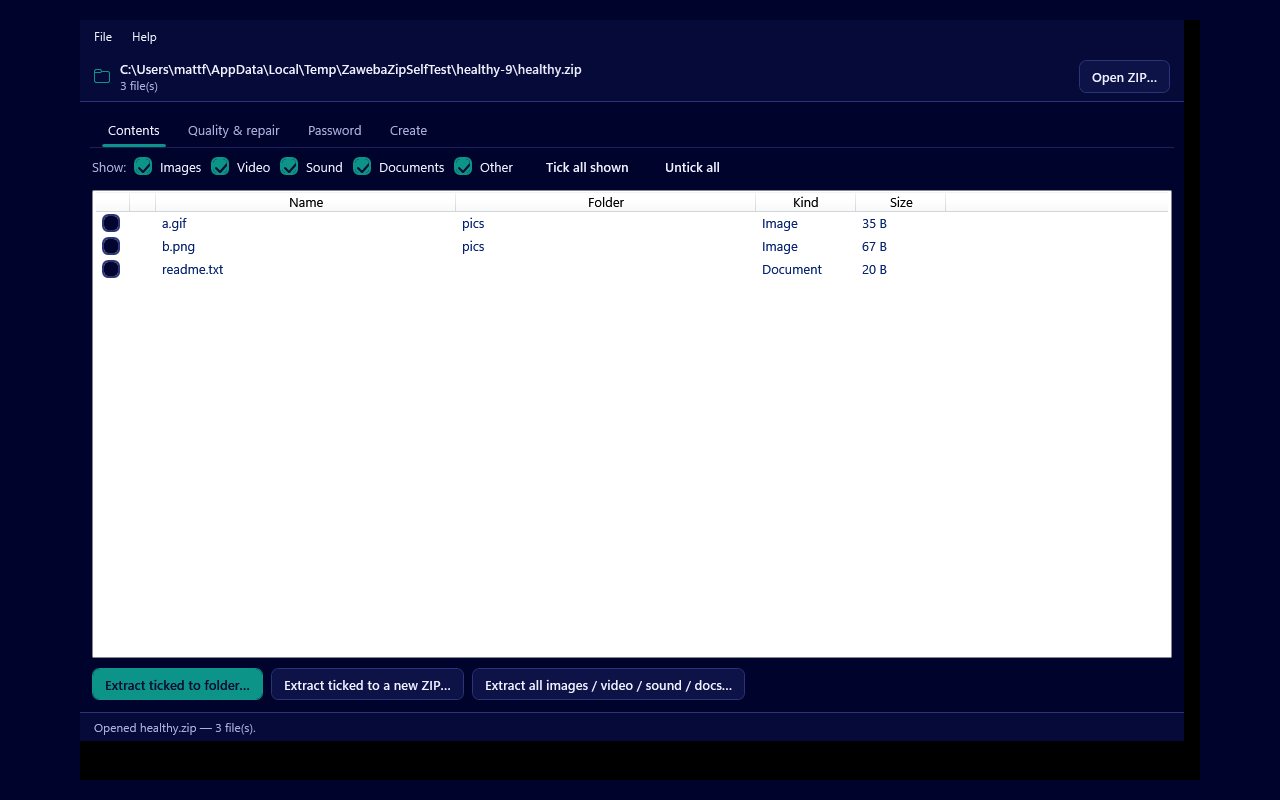
With a ZIP in hand there is a lot it can do. The Contents tab shows every file with its name, folder, kind and size, with a padlock on encrypted entries. Show tick boxes for Images, Video, Sound, Documents and Other narrow the list, and you can extract ticked files to a folder or to a new ZIP, or take a whole kind at once.
On the Quality and repair tab, Check quality reports each file as Good, Corrupt, Damaged, Unreadable, Encrypted or Empty. Damaged JPEG, PNG and GIF files can be structurally repaired into a new ZIP, and an archive that will not open at all can often be salvaged.
On the Password tab you can open a ZipCrypto or WinZip AES archive with its password, or, for an archive that is yours, try to recover a password you have forgotten.
So the honest answer is that ZIP by Zaweba is a specialist. It does not try to open every archive format there is. It does one common format thoroughly, it is free software under the EULA, and it runs entirely on your own PC with no account.

