
ZIP by Zaweba on a Mac or a Linux computer
ZIP by Zaweba runs on macOS and Linux as well as Windows, with the same four tabs for opening, making, checking, repairing and recovering ZIP archives.
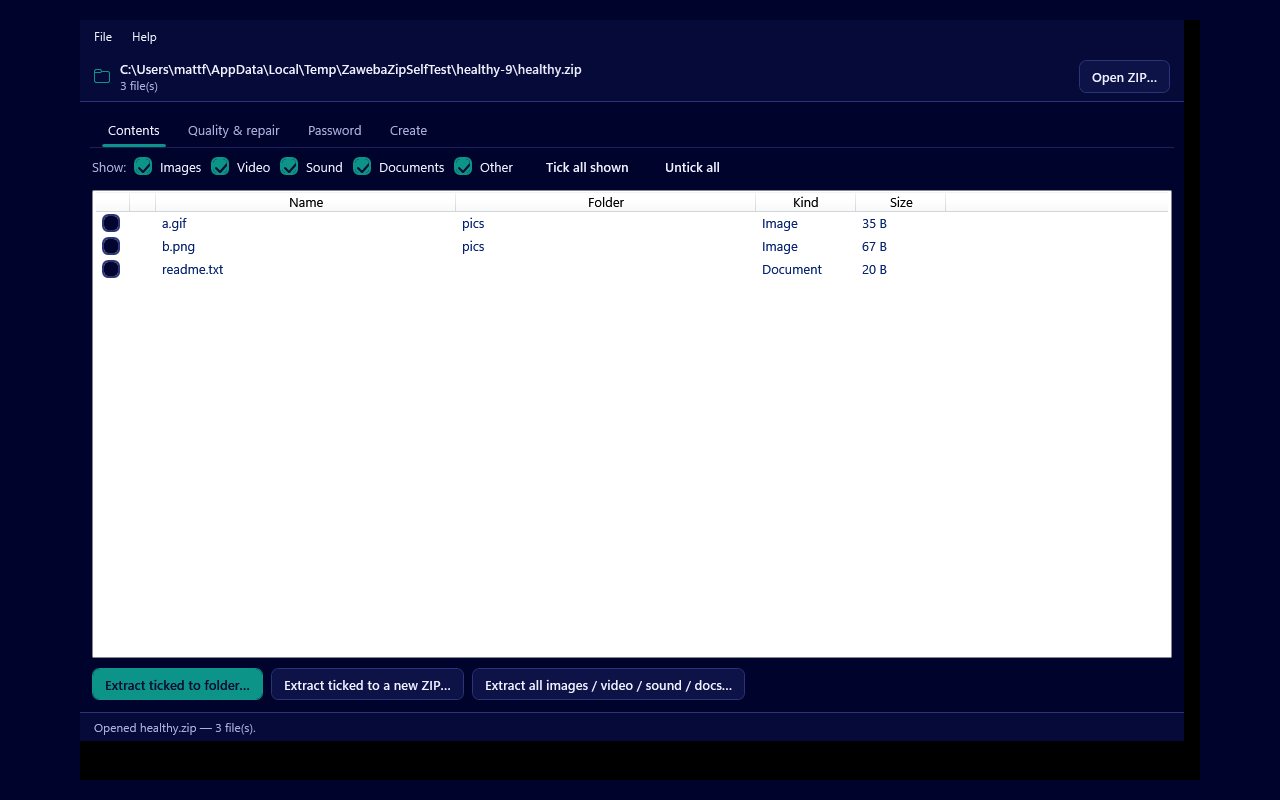
A ZIP file does not care which computer opens it, and neither should the tool you use. ZIP by Zaweba began on Windows, and there is now a version for macOS and Linux built from the same app, with the same four tabs and the same jobs on each. If you move between a Windows PC at work and a Mac at home, or keep an old laptop running Linux for family photos, you can learn the app once and use it everywhere.
The Mac and Linux version uses Avalonia, a cross-platform interface toolkit, to draw its windows, while the archive work underneath is the same. The supported systems are macOS 12 or later on Apple silicon and Intel Macs, and 64-bit Linux on x86 and ARM.
The same four tabs on every system
Contents is where you open a ZIP and see what is inside, filter by Images, Video, Sound, Documents or Other, and tick the files you want. From there you can extract the ticked files to a folder, put them into a new ZIP, or pull out every file of one kind in a single step.
Create is where you make an archive from files and folders, keeping the folder structure, and choose the compression level: Normal, Smallest, Fastest or Store.
Quality and repair checks every file in an archive, repairs the structural faults that stop JPEG, PNG and GIF images opening, saves just the good files to a new ZIP, and salvages files from an archive whose directory is broken.
Password opens protected archives when you know the password and, for archives that are yours, tries to recover one you have forgotten. It works with both ZipCrypto and WinZip AES.
Why a separate tool on a Mac is still useful
macOS and most Linux desktops can already open a ZIP. Double-click it and the files spill out into a folder. That is fine for small, healthy archives, but it is the whole archive or nothing, and when something is wrong you usually get a short error message and no way forward.
ZIP by Zaweba fills in the parts the built-in handling leaves out. You can see the contents before extracting anything and take only the photos from a large archive. You can confirm that every file still matches the checksum it was stored with. You can rescue images that a viewer refuses to open. And when a ZIP will not open at all, the salvage tool scans the raw bytes for each stored file and pulls out what it can, around the broken directory, into a clean new archive.
Moving archives between computers
Because the archives ZIP by Zaweba makes are standard, unencrypted ZIP files, they open on every system, whichever version of the app made them. A folder of documents zipped on a Windows PC opens on a Mac, and an archive of photos made on a Linux machine opens on Windows. That makes the app a handy go-between when you are handing work between people who use different computers.
It also means you can check an archive on one machine and trust the result on another. Run Check quality on the Mac before you copy a ZIP to a USB stick, and the files that came out Good are the same files your Windows PC will see.
Things to keep in mind
The Mac and Linux version does the same work, so the same limits apply. Image repair fixes structure and never re-encodes a picture, so it cannot invent missing pixels. Saving good files to a new ZIP holds the files in memory while writing, so take care with very large archives. Salvage skips entries that use a trailing data descriptor, and its raw parser reads 32-bit sizes only. Password recovery is for your own archives and may not find a strong password you remember nothing about.
Like the Windows version, ZIP by Zaweba on a Mac or Linux machine runs entirely on your own computer. There is no account to make and nothing is sent to the cloud, so private archives stay private on whichever system you happen to be using.

